 LH Virtual Crew Pad
You are an LH Virtual pilot
The pad is issued by the airline to its own crew. You sign in with the vAMSYS account you already have — the same one as the dashboard.
The Crew Pad is the company tablet of LH Virtual, a virtual airline flying on VATSIM and IVAO. It turns a booking into a briefing without you typing a line — and it runs in your browser.
The vAMSYS account you already fly with. No second password, and yours never leaves vAMSYS.
It starts locked, like any tablet left on the desk. The passcode is the digits of your pilot ID.
There is no registration here, no second password and no separate switch to have flipped. Two things are worth knowing before you start.
The pad is issued by the airline to its own crew. You sign in with the vAMSYS account you already have — the same one as the dashboard.
The pad starts locked, like any tablet on a desk. DLH1049 unlocks with 1049. It is deliberately not a secret — what protects your data is your vAMSYS session, checked on our server for every single figure.
Three places are involved and they do not overlap: vAMSYS owns the booking, the pad prepares and reads, the simulator and Pegasus do the flying and the filing. Here is what the pad itself contributes — 28 apps in all, these six the ones you meet first.
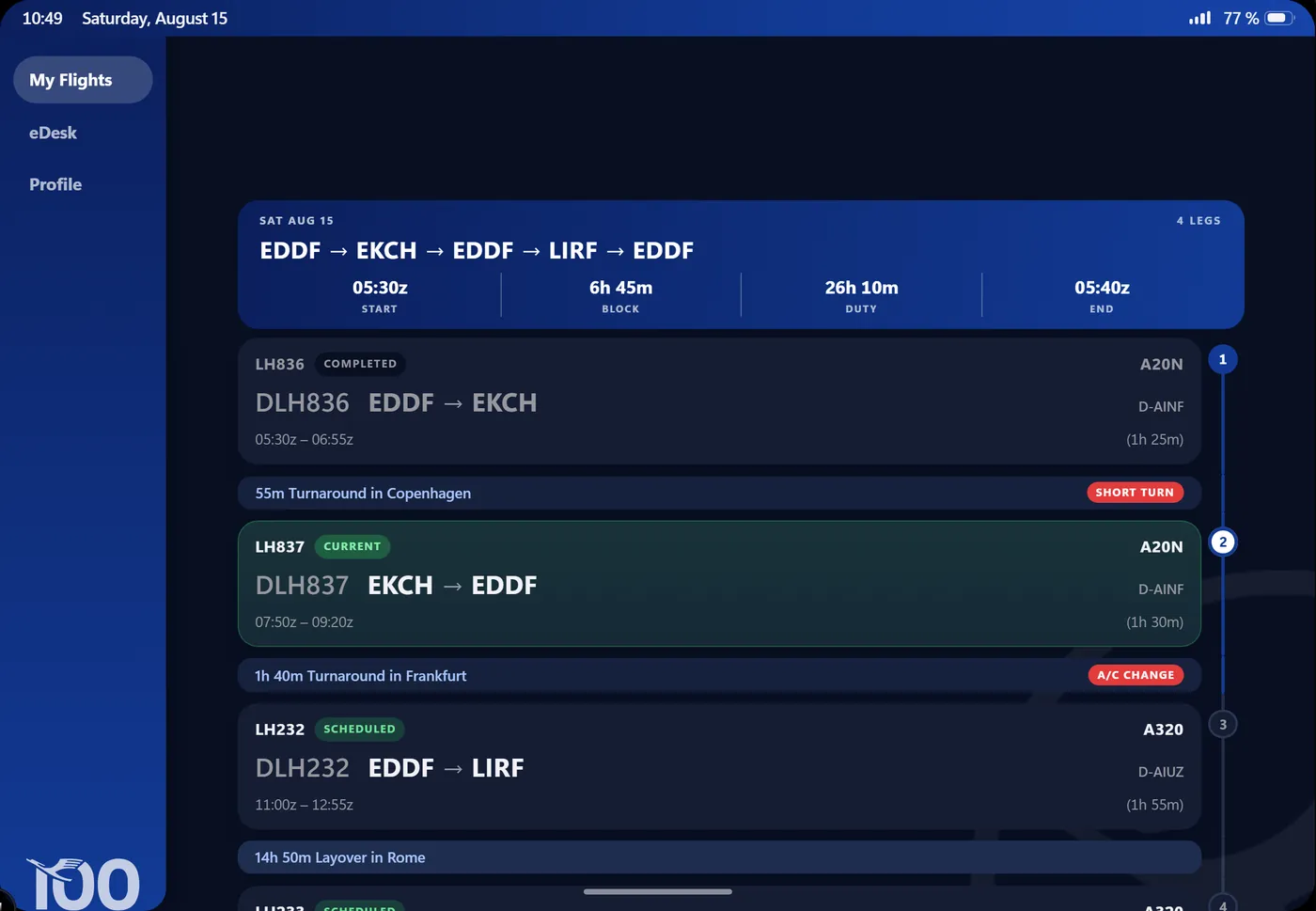
Book a flight in vAMSYS and it shows up on the pad about a minute later — not as a row in a table, but as the whole working day: report time, block time, duty time, every turnaround and layover in between, aircraft type and registration, and which leg is the current one. Checking in arms exactly one flight, and the briefings that follow belong to it: preflight, stand and gate, PDC, A-CDM target times, METAR and TAF for both ends, NOTAM. They arrive staggered, the way real company post does, and they reach you as notifications even when the app is closed.
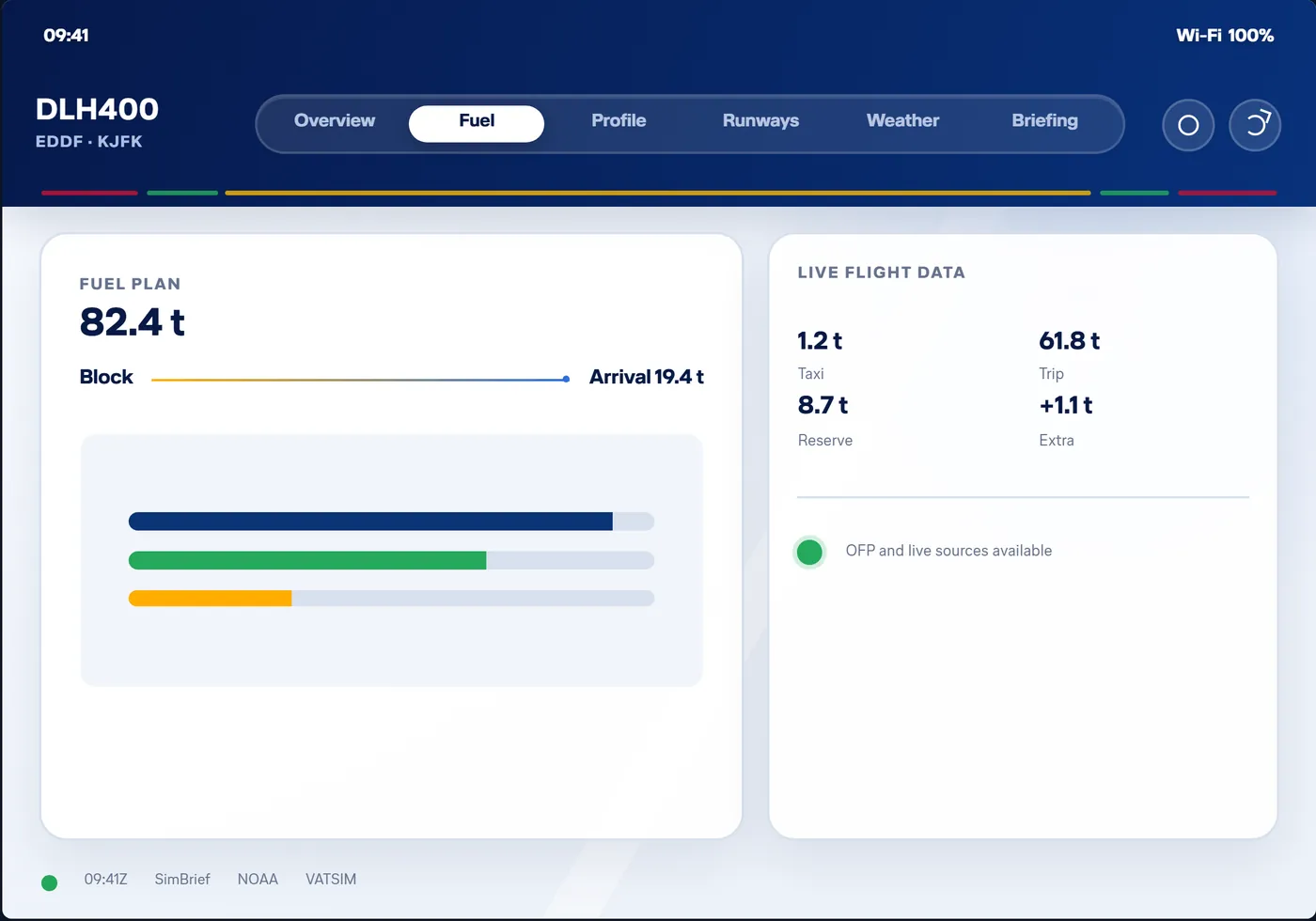
Plan in SimBrief as you always do, then press Uplink. The pad fetches the newest OFP for your SimBrief ID and lays it out across seven pages that each answer one question — overview, times, flight plan, route, runways, weather, briefing — instead of a thirty-page PDF you cannot page through in the cockpit. Every waypoint carries its planned fuel with a field for what the tank actually says, the route page draws terrain, airspace, precipitation and SIGMET, and the runway page gives you live wind components at both ends.
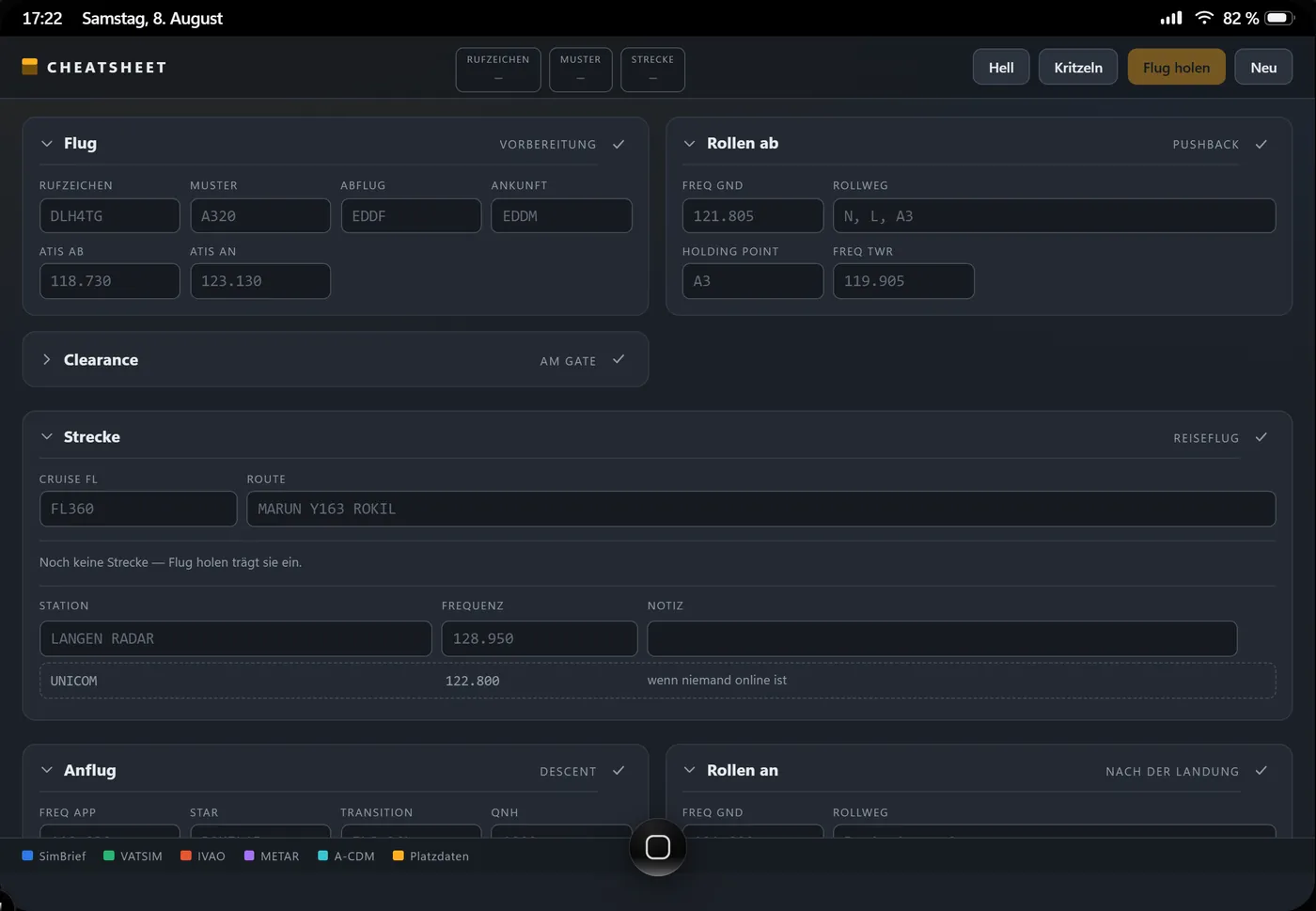
One sheet for the whole leg, filled in the order things reach you on the radio: callsign, route, levels, SID and STAR, squawk, runway in use, then frequencies, ATIS, QNH and transition level from the network you fly on. Live PDC, DCL and CPDLC logons appear where a staffed station publishes them. Everything the network cannot supply stays blank for you to write yourself — by keyboard, or with a finger straight onto the sheet.
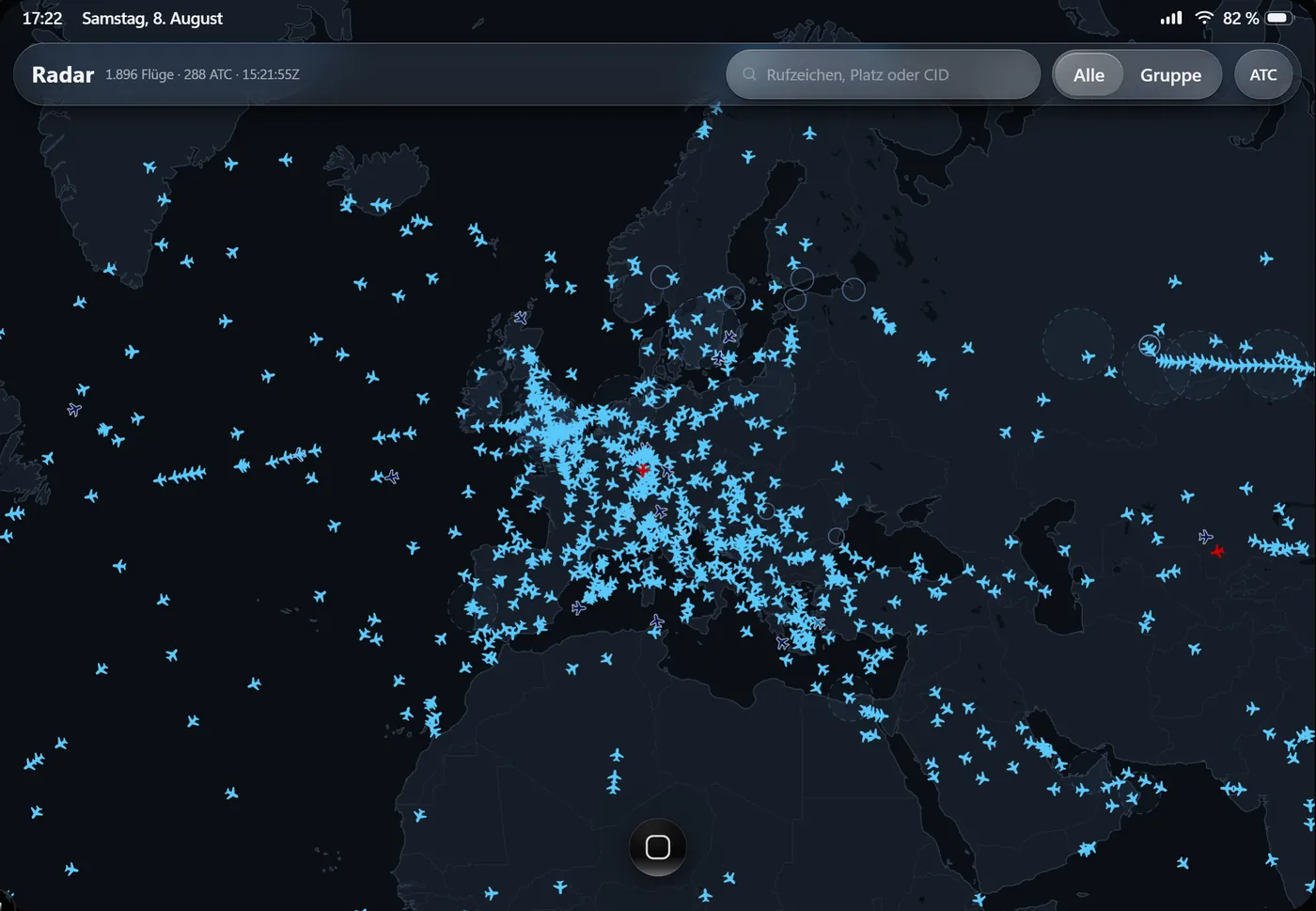
Every flight and every staffed position on VATSIM or IVAO, with flight plans, progress and ATIS — no third-party service in between. Search by callsign, airport, CID or VID. Group traffic flies in its airline colours and stays readable above everyone else, and your own flight wears a ring and opens its route by itself once your network ID is in the settings.
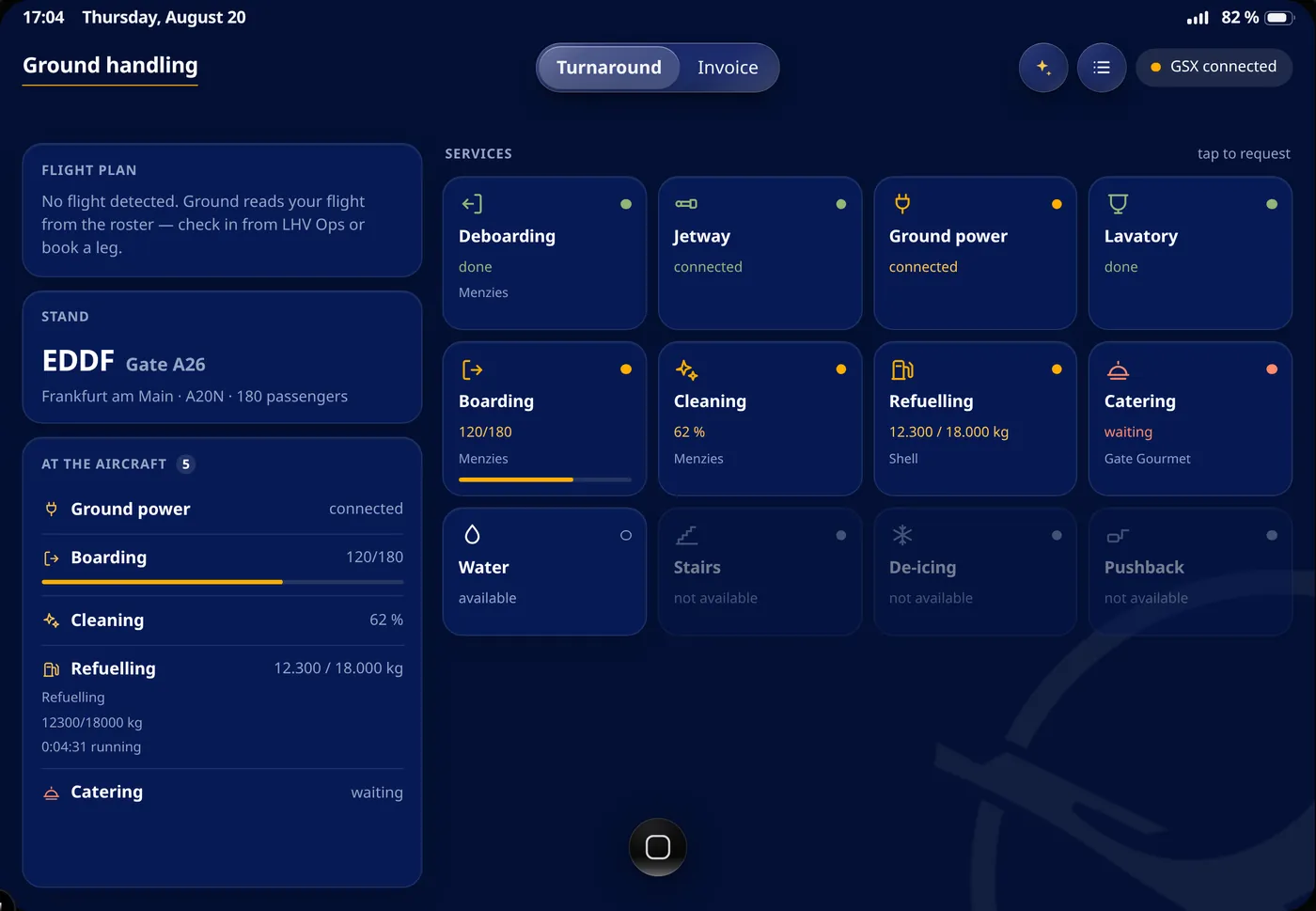
GSX Pro from the pad. The board shows the turnaround at a glance — what is running, how far boarding and refuelling have got, what is still outstanding, who is handling. One tap requests a service, another sends the jetway away, and each tile says whether it is on the aircraft right now. Your flight sits alongside with the detected SimBrief plan, a running off-block clock and the A-CDM target times once they are issued. Your eyes stay outside.
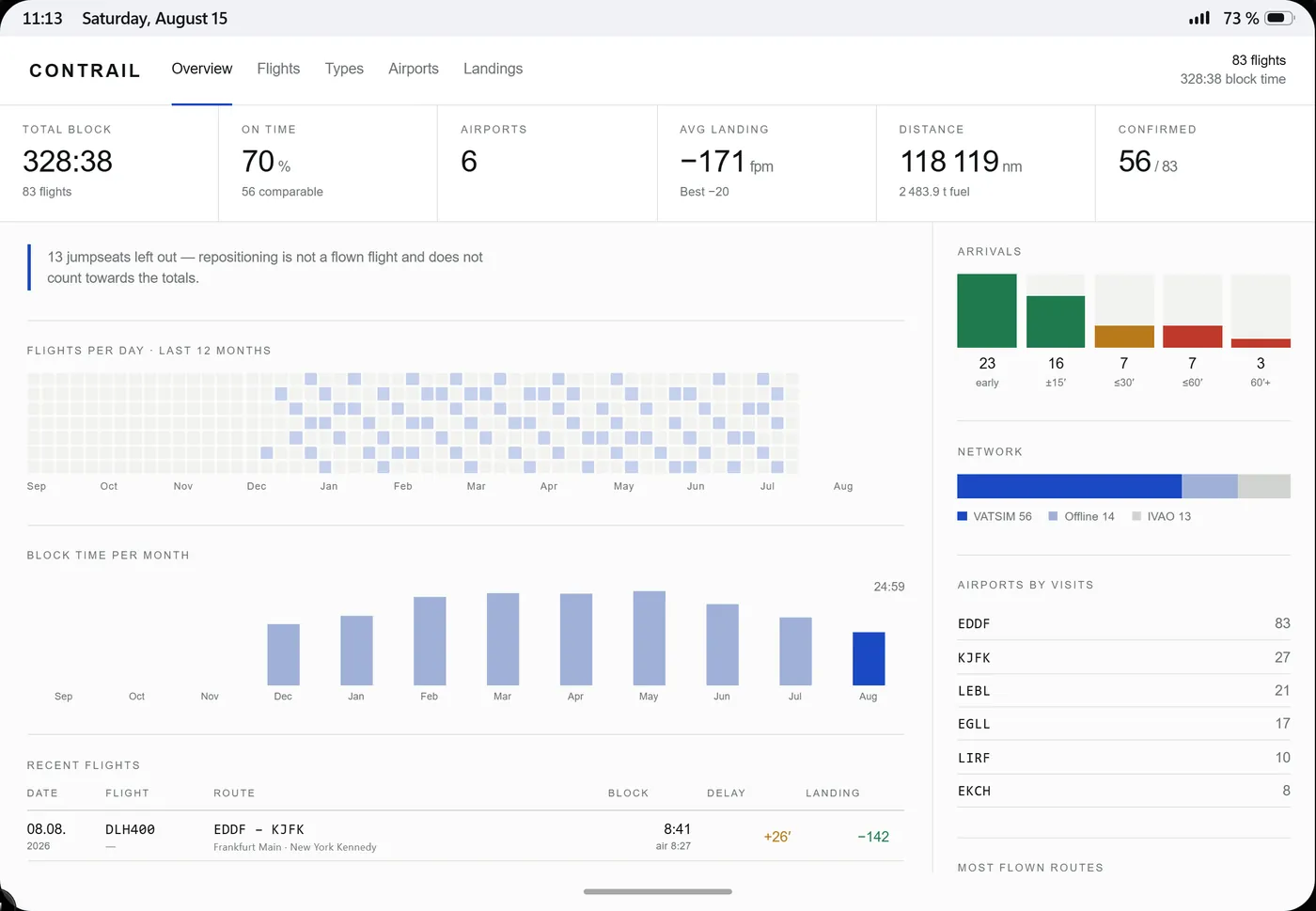
Pegasus files the PIREP, you report the four actual times and the fuel, and the flight moves into the logbook on its own. Totals, routes, aircraft types and history up front; behind every entry the flight file — planned against flown track on a real map, the altitude profile beneath it, runway use, the approach, which main gear touched first, and the archived weather of that day. Where something could not be resolved it says so, and an assumed figure is labelled as assumed rather than quietly printed as fact.
Three ways to the same pad. None of them keeps a copy of anything on your machine — they differ only in how far the browser gets out of the way, and in one thing the program can do that a tab cannot.
The same icon and the same window without a browser bar, with nothing to download. Your browser offers it in the address bar; the button here does the same thing.
In Chrome or Edge: Install app in the address bar, or from the ⋯ menu.
One file, one double-click. The pad gets its own window and its own icon, and closing it keeps it ready in the notification area or the Dock — which is why your departure alarm still rings while the simulator is in front of it. Nothing is stored on your machine, and it keeps updating itself.
Safari: Share → Add to Home Screen → Open as web app. Chrome on Android offers Install app. The pad then fills the screen the way it was drawn, in landscape.
The program is not signed yet. Windows may warn about an unknown publisher on the first start — More info → Run anyway. On macOS, use Privacy & Security → Open Anyway. Whichever way you choose, nothing is copied onto your machine: all three open the same pad on this server.
26.21.2padOS, released 2026-10-08
28apps, five groups
The pad has real versions and real updates. Every app carries release notes you read before you install them, and the operating system does the same for itself. How all of it works is written down in the Crew Pad guide.
A simulated company tablet for the pilots of LH Virtual, a virtual airline flying on VATSIM and IVAO. It runs in your browser and holds your roster, your briefing, your company mail, your logbook and the tools around them — the same records you see in the LH Virtual dashboard, in a device that behaves like a tablet.
No. It is a website, so any modern browser works. You can give it its own icon and its own window — as a program on Windows and macOS, or on the home screen of a phone or tablet — but nothing is ever stored on your machine and it updates itself either way.
You sign in with the vAMSYS account you already have as an LH Virtual pilot. There is no second password and no separate registration, and your password never leaves vAMSYS. If you do not fly with LH Virtual yet, you apply on vamsys.io first and receive your pilot ID from us.
The digits of your pilot ID: DLH1049 unlocks with 1049. It is deliberately not a secret — every pilot knows their own ID. It exists so the pad behaves like a tablet. What actually protects your data is your vAMSYS session: every figure is fetched and authorised on our server against your pilot record before it reaches your browser.
Only in one place, and only if you ask it to: Ground speaks to GSX Pro on your own network. Nothing else does. The pad is not a tracker and not a replacement for Pegasus — Pegasus records the flight and files the PIREP, the pad prepares the flight and reads the result.
No. LH Virtual is a virtual airline for flight simulation and is not affiliated with Deutsche Lufthansa AG in any way. Nothing here is connected to real-world flight operations.
No. The Crew Pad is part of flying with LH Virtual and free for our pilots.